Top
Danger, Warning, Caution, and Note Definitions
Top
Electrical Safety Guidelines
Top
General Safety Practices
- Keep your Mediatrix unit clear and dust-free during and after installation.
- Locate the emergency power-off switch for the room in which you are working. Then, if an electrical accident occurs, you can act quickly to turn off the power.
- Do not work alone if potentially hazardous conditions exist.
- Never assume that power is disconnected from a circuit. Always check.
- Do not perform any action that creates a potential hazard to people or makes the equipment unsafe.
- Do not open or disassemble this product.
- The unit should be located at 20 cm from your monitor, computer casing or other peripheral including speakers.
- When the unit is brought from a cold to a warm environment, condensation, that might be harmful to the unit, may occur. If this is the case, wait one hour before powering the unit.
Top
Electrostatic Discharge Prevention
- When working on a Mediatrix unit, always wear an ESD wrist strap, ensuring that it makes a good contact with your bare skin.
- Attach the ESD wrist strap end to an earth ground i.e. the grounding screw on the back of the Mediatrix unit or on an unpainted bare metal spot of a grounded equipment rack.
- Always ensure proper connection between the grounding screw on the back of the Mediatrix unit and an appropriate grounding point in your site to safely channel unwanted ESD to earth ground.
Top
Translated Warning Definition
Top
Slot Order - IMPORTANT
The order and location the cards are installed is crucial for the unit to work properly.
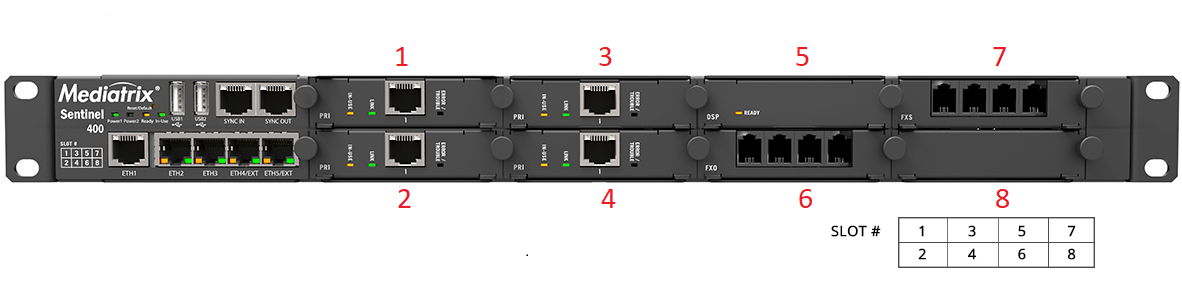
- Slot order is indicated on the front of the unit (left bottom corner)
- Always start from slot 1
Unit with PRI ports
- All PRI cards must be installed first, sequentially starting from slot 1
- The DSP card must be installed in the next available slot, after the last PRI card
- FXS/FXO/BRI cards are installed last
Unit without PRI ports
- The DSP card must be installed in slot 1
- FXS/FXO/BRI cards are installed last.
Top
Removing a Telephony Card
Top
Installing a New Telephony Card
Top
Replacing a Telephony Card
Top
Product Disposal Instructions
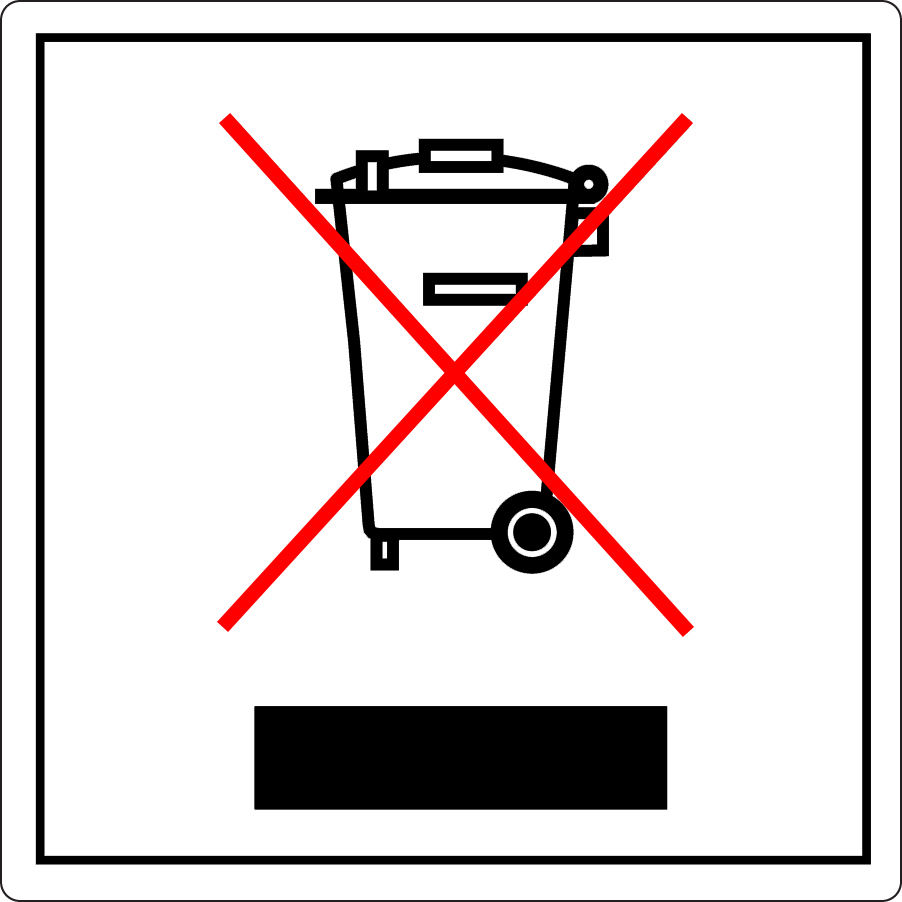 |
This symbol indicates that the product is classified as electrical or electronic equipment and should not be disposed of along with commercial or household waste at the end of its working life. For appropriate disposal and recycling instructions, contact your local Media5 Corporation provider. |
| The Waste of Electrical and Electronic Equipment (WEEE) Directive (2002/96/EC) was established by the European Union to minimize negative impact on the environment, control hazardous substances, and curtail landfill expansion by using the best available recovery and recycling techniques. | |
Top
Disclaimers
Innovation, Science and Economic Development Canada (ISED)
CE Marking

RoHS Declaration Of Compliance
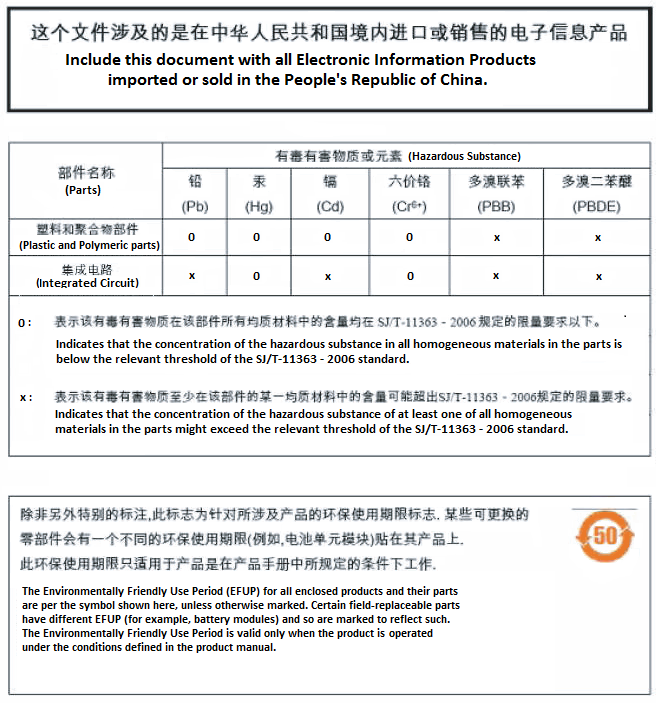
RoHS China
Model M complies with the China IEC 60950-1 safety deviation, but does not have CCC approvals.
Altitude of Operation

 Use only at altitudes
no more than 2000 m above sea level.
Use only at altitudes
no more than 2000 m above sea level. Only use in
non-tropical climate regions.
Only use in
non-tropical climate regions.Top
Available Documentation
Top
Copyright Notice
Copyright © 2026 Media5 Corporation.
This document contains information that is proprietary to Media5 Corporation.
Media5 Corporation reserves all rights to this document as well as to the Intellectual Property of the document and the technology and know-how that it includes and represents.
This publication cannot be reproduced, neither in whole nor in part, in any form whatsoever, without written prior approval by Media5 Corporation.
Media5 Corporation reserves the right to revise this publication and make changes at any time and without the obligation to notify any person and/or entity of such revisions and/or changes.