Top
Channel Associated Signaling (CAS)
The Channel Associated Signaling (CAS) is a method of signalling where each traffic channel has a dedicated signaling channel.
- Forwards is the direction from the calling party to the called party.
- Backwards is the direction from the called party to the calling party.
Top
Interregister Signals
The interregister, or interswitch, signals in MFC/R2 signaling (defined in ITU-T Q.441 ) are encoded as the presence of 2, and only 2, out of 6 specific tones, spaced at 120 Hz intervals.
- one for forward signals
- one for backward signals
- 10 signals for the digits 0 to 9
- additional signals available for supervisory purposes
Fro more details refer to the https://www.itu.int/rec/T-REC-Q.400-Q.490-198811-I
Top
Line Signals for the Digital Version of MFC/R2
The MFC/R2 digital line signals (defined in ITU-T Q.421) are the ABCD bits of CAS in timeslot 16 of an E1.
They represent the states of the line, and are similar to the states of an analog line. In general, only bits A and B are used. In most systems, bits C and D are set to fixed values and never change. There are some national variants where bit C or D may be used for metering pulses.
Top
R2 Auto-Configuration
The R2 Auto-configuration feature allows the detection and the configuration of a specific or of all R2 interfaces so that the R2 link goes up and becomes usable with a minimal user interaction.
When launching an auto-configuration process, it stops automatically when all selected interfaces have been tested. For each interface, the auto-configuration process is considered successful when the link becomes up or a failure when all combinations have been tried without having a link up.
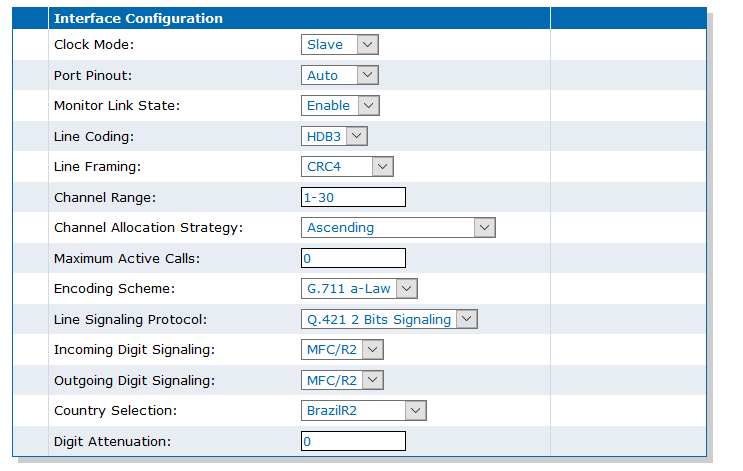
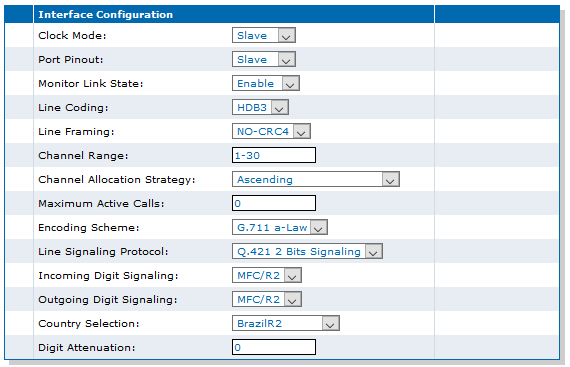
- PortPinout : TE / NT
- ClockMode : MASTER / SLAVE
- LineCoding : AMI / HDB3
- LineFraming : CRC4 / NOCRC4
Top
R2 Preset Configurations
It is possible to save a set of configurations as presets for future R2 connections.
These preset files are located in the file system's persistent memory. They differ depending on the Mediatrix unit you are using. Using preset files is especially useful for units that do not use the default values provided by Media5.
Top
Configuring R2 CAS Parameters
Top
Setting the Mediatrix Unit to Use the R2 Signaling Protocol


Top
Auto-Configuring R2 Interfaces
- Go to R2/Status.
- In the Automatic Configuration table, from the selection list, choose the interfaces to auto-configure.
- Click Start Sensing.

Top
Saving an R2 Preset Configuration
It is a best practice to export the R2 configuration before performing a factory reset or a partial reset, as user-defined presets are deleted.
- Go to R2/Status.
- In the Preset Name field, enter the name of the R2 configuration you wish to save.
- Click Save.

Top
Using an R2 Preset Configuration
Remember that the Preset configuration must first be imported in the file management system under Management/File.
- Go to R2/Status.
- In the R2 Preset Configuration table, from the Suggestion list, choose the Preset to apply.
- Click Apply.
Top
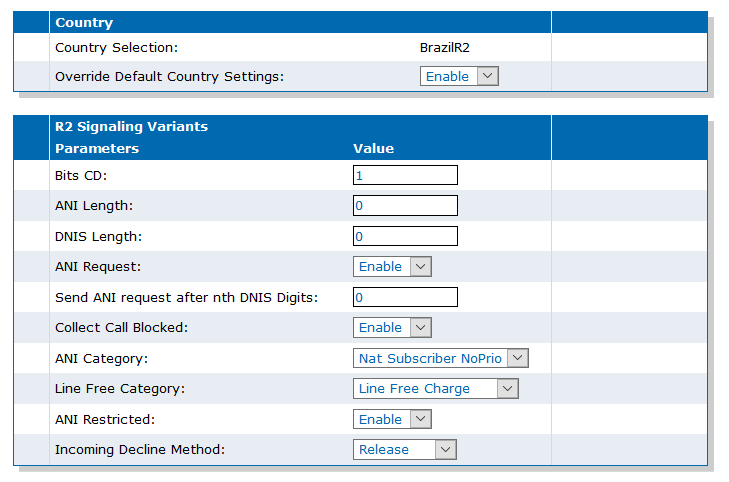
Overriding Country Default R2 Signaling Variants
Top
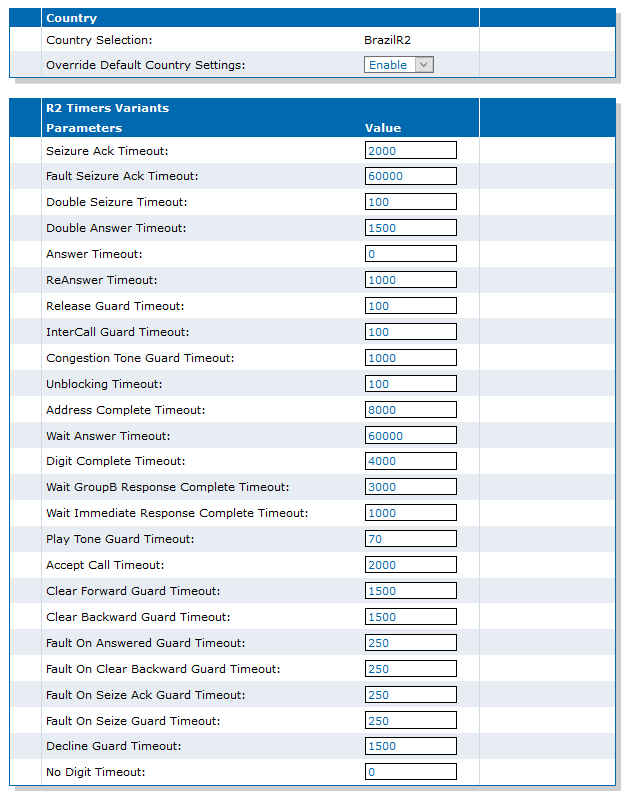
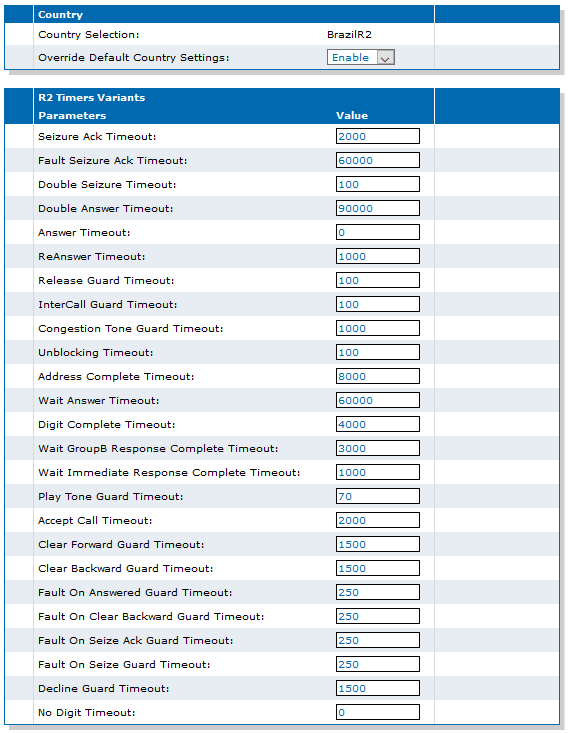
Overriding Country Default R2 Timers Variants
Top
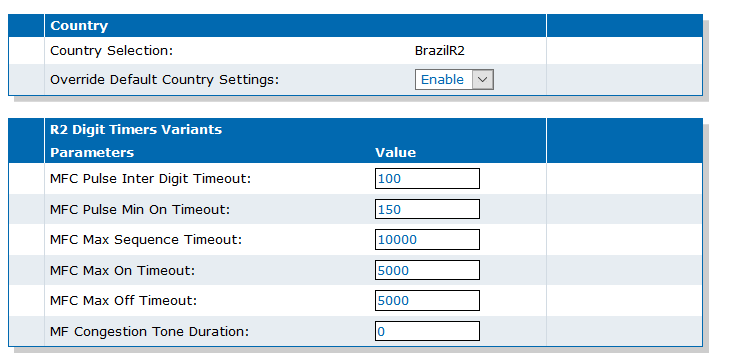
Overriding Country Default R2 Digit Timers Variants
Top
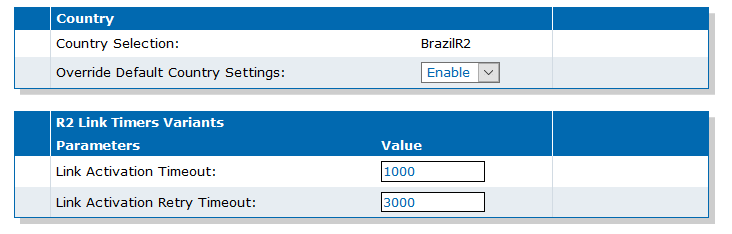
Overriding Country Default Link Timers Variants
Top
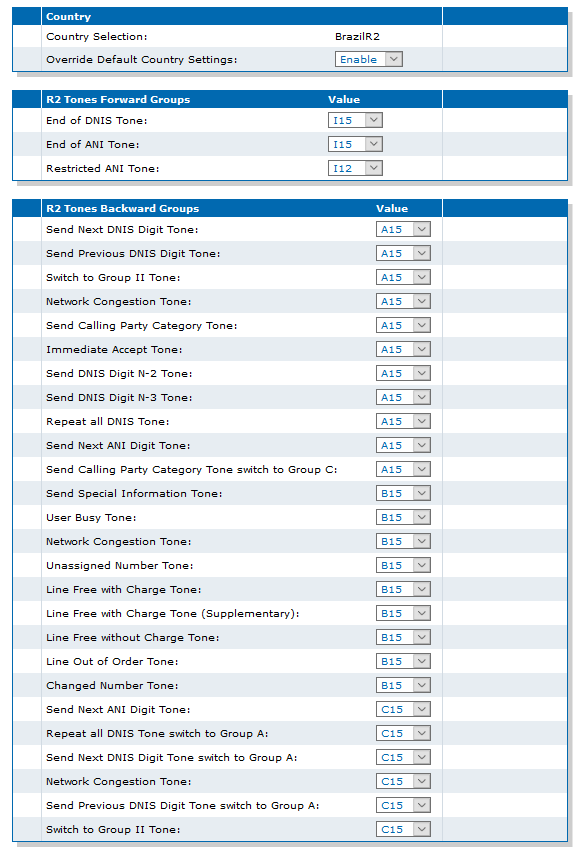
Overriding Country Default Tone Variants
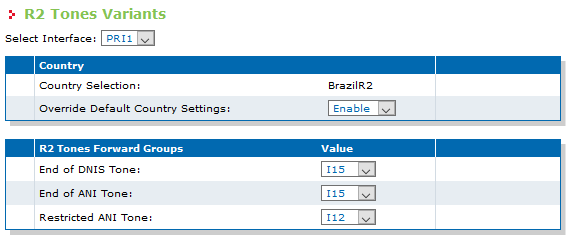
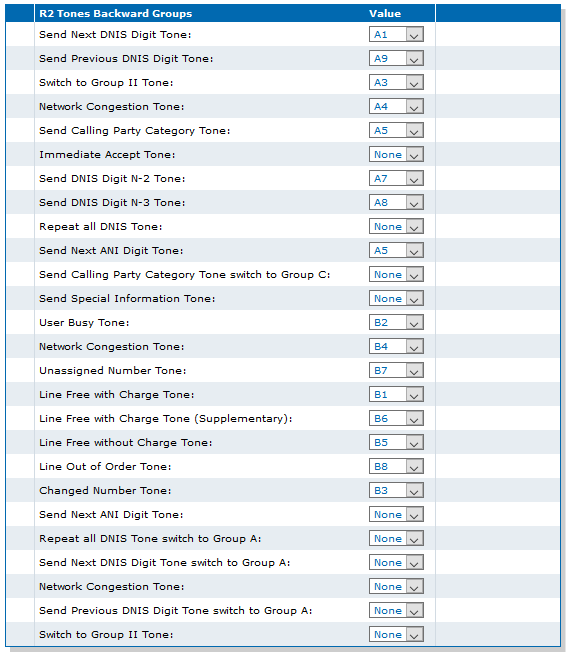
Top
Advanced R2 CAS Parameters
The PRI statistics are available in the Hardware.StatsInfo table. To reset the statistics, you must set "ResetStats" in the Hardware.StatsInfo.ResetStats parameter.
Top
Online Help
If you are not familiar with the meaning of the fields and buttons, click Show Help, located at the upper right corner of the Web page. When activated, the fields and buttons that offer online help will change to green and if you hover over them, the description will bedisplayed.
Top
DGW Documentation
Mediatrix devices are supplied with an exhaustive set of documentation.
Mediatrix user documentation is available on the Media5 Documentation Portal.
- Release notes: Generated at each GA release, this document includes the known and solved issues of the software. It also outlines the changes and the new features the release includes.
- Configuration notes: These documents are created to facilitate the configuration of a specific use case. They address a configuration aspect we consider that most users will need to perform. However, in some cases, a configuration note is created after receiving a question from a customer. They provide standard step-by-step procedures detailing the values of the parameters to use. They provide a means of validation and present some conceptual information. The configuration notes are specifically created to guide the user through an aspect of the configuration.
- Technical bulletins: These documents are created to facilitate the configuration of a specific technical action, such as performing a firmware upgrade.
- Hardware installation guide: They provide the detailed procedure on how to safely and adequately install the unit. It provides information on card installation, cable connections, and how to access for the first time the Management interface.
- User guide: The user guide explains how to customise to your needs the configuration of the unit. Although this document is task oriented, it provides conceptual information to help the user understand the purpose and impact of each task. The User Guide will provide information such as where and how TR-069 can be configured in the Management Interface, how to set firewalls, or how to use the CLI to configure parameters that are not available in the Management Interface.
- Reference guide: This exhaustive document has been created for advanced users. It includes a description of all the parameters used by all the services of the Mediatrix units. You will find, for example, scripts to configure a specific parameter, notification messages sent by a service, or an action description used to create Rulesets. This document includes reference information such as a dictionary, and it does not include any step-by-step procedures.
Top
Copyright Notice
Copyright © 2026 Media5 Corporation.
This document contains information that is proprietary to Media5 Corporation.
Media5 Corporation reserves all rights to this document as well as to the Intellectual Property of the document and the technology and know-how that it includes and represents.
This publication cannot be reproduced, neither in whole nor in part, in any form whatsoever, without written prior approval by Media5 Corporation.
Media5 Corporation reserves the right to revise this publication and make changes at any time and without the obligation to notify any person and/or entity of such revisions and/or changes.