Top
Configuration Scripts Import and Export
Importing and exporting configuration scripts allows you to modify in whole or in part the configuration script used on your unit.
Configuration scripts are files containing textual commands that are sent over the network to a Mediatrix unit. Upon receiving the file, the unit executes each command line in sequence. Script commands can assign values to configuration variables, or execute configuration commands.
A configuration script can be used on any firmware version, regardless of the firmware version it was exported from. It is possible to import a complete configuration script, a subset of the configuration script or even a few lines of a configuration script.
- Change one or several script commands
- Add new commands
- Change parameter values
- Add parameters
- Replace the complete configuration script
Scripts are written by the system administrator and can be used to accomplish various tasks, such as automating recurrent configuration tasks or batch-applying configuration settings to multiple devices. Scripts can be executed once or periodically at a specified interval. They can also be scheduled to be executed when the Mediatrix unit starts.
Top
Simple Network Time Protocol (SNTP)
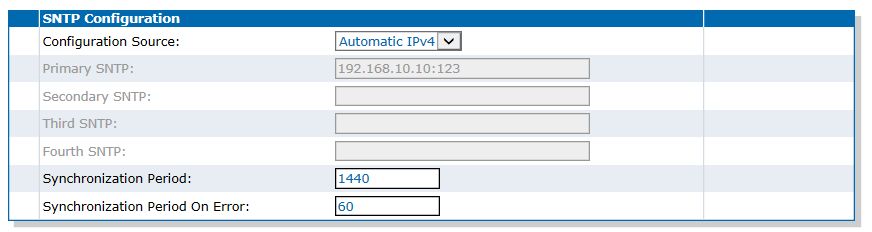
The Simple Network Time Protocol (SNTP) is used to update and synchronise the clock of the Mediatrix unit (day, month, time) when it is restarted.
Mediatrix units do not all include a real time clock allowing them to maintain accurate time when they are shutdown. Your system needs to have access to accurate time, for example if you are using HTTPS or for the caller ID feature. The Mediatrix unit implements a SNTP client, which can synchronise the local clock with remote NTP/SNTP servers. The configuration can be automatic (through DHCP for example), with fallback, or static, with up to four servers.
Top
DHCPv4 Auto-Provisioning
The Mediatrix unit can be configured to automatically download new configuration scripts upon receiving options 66 (tftp-server) or 67 (bootfile), or vendor-specific option 43 using sub-options 66 and 67 in a DHCPv4 answer
A DHCP server answer includes both Bound and Renew. The contents of option 66, 67 or 43 defines which script to download. The unit's configuration is not used to download the script. This allows the unit, for instance, to download a script from a server after a factory reset and to reconfigure itself without a specific profile. If the imported configuration script is identical to the last executed script, it will not be run again. The script retry mechanism is not enabled for the DHCPv4 triggered scripts. If options 66, 67 and 43 are received, all scripts are executed independently. The script defined by the tftp-server (option 66) option is executed first. If you are using HTTPS to transfer scripts, you must have a time server SNTP that is accessible and properly configured.
Top
Unit Macros
| Macro | Description |
|---|---|
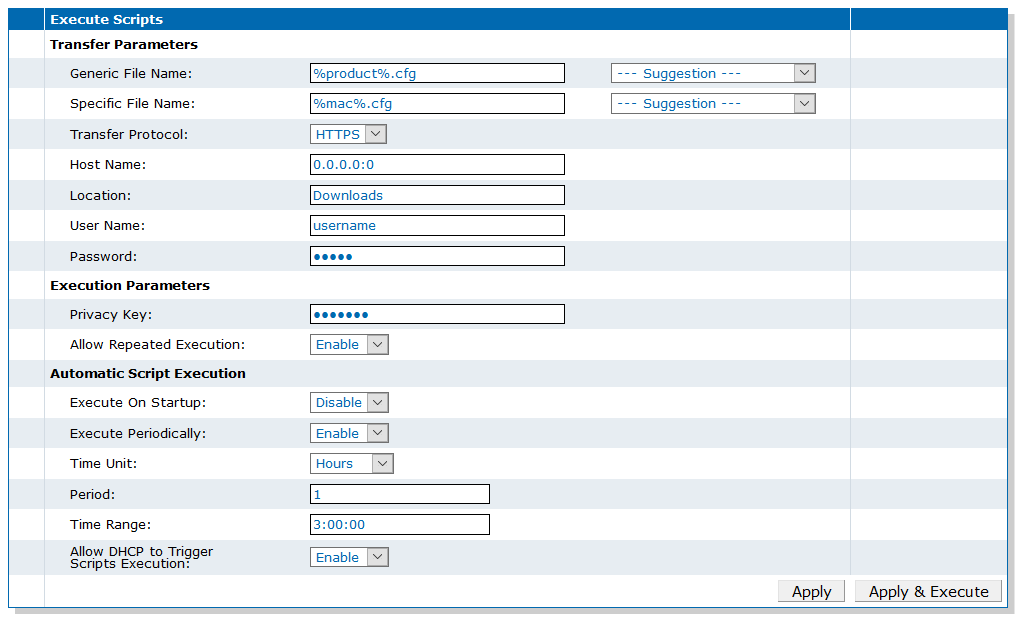
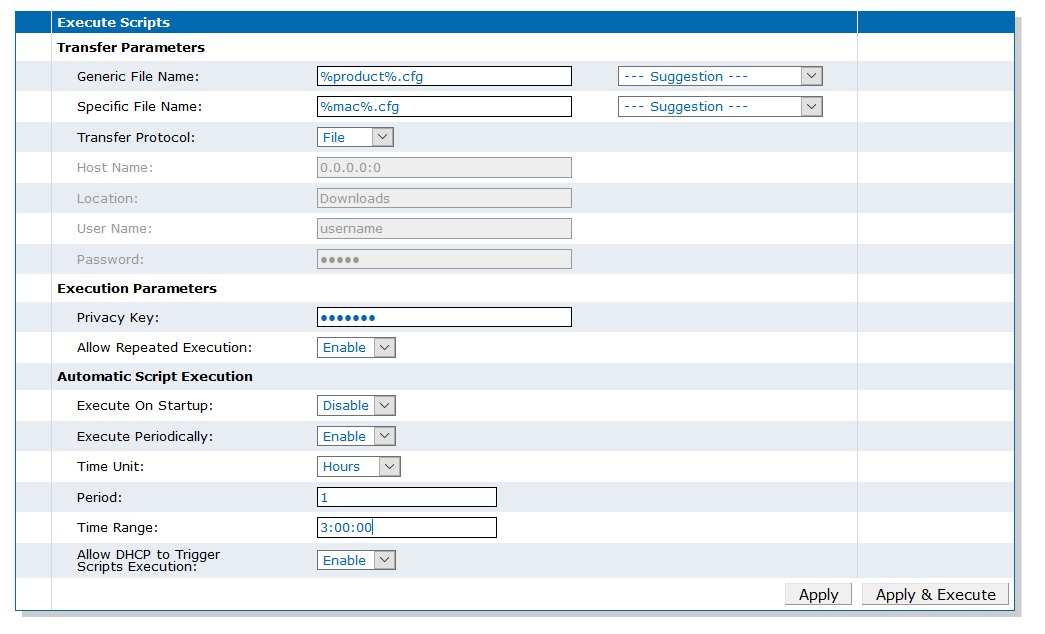
| %mac% | the MAC address of the unit |
| %version% | the MFP version of the unit (firmware version) |
| %product% | the Product name of the unit |
| %productseries% | the Product series name of the unit. |
Top
Configuring the FTP Server
Perform this procedure if you plan to use the FTP transport protocol.
Top
Configuring the TFTP Server
Top
Configuring the HTTP Server
Top
Configuring the HTTPS Server
Make sure the unit is set to the proper date (refer to Configuring the Mediatrix Unit to Use an SNTP Server.
Top
Configuring the Mediatrix Unit to Use an SNTP Server
Top
Exporting a Configuration Script Using a File Server

Top
Exporting a Configuration Script to Your PC

Top
Importing a Configuration Script Using a File Server
Top
Executing a Configuration Script from the Unit File Management System
Top
Executing Inline Scripts
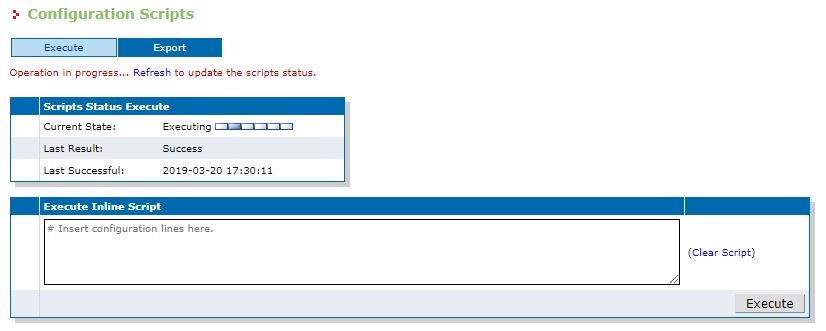
- Go to Management/Configuration Scripts/Execute.
- If you are not using HTTPS, click Activate unsecure file importation from the Web browser.
- In the Execute Inline Script table, insert the configuration lines.
- Click Execute.
Top
Importing a Configuration Script from Your PC

Top
Importing a Configuration Script to the Unit File Management System

Top
Executing Configuration Scripts from a File Server Periodically
- Configuring the FTP Server
- Configuring the TFTP Server
- Configuring the HTTP Server
- Configuring the HTTPS Server
Mediatrix units do not all include a real time clock allowing them to maintain accurate time when they are shutdown. You must have a time server SNTP that is accessible and properly configured or the automatic configuration update feature may not work properly. Refer to Configuring the Mediatrix Unit to Use an SNTP Server.
Top
Executing Configuration Scripts from the Unit File Management System Periodically
You must have a time server SNTP that is accessible and properly configured or the automatic configuration update feature may not work properly. Refer to Configuring the Mediatrix Unit to Use an SNTP Server. Configuration scripts files must be available in the unit's file management system. Refer to Importing a Configuration Script to the Unit File Management System.
A configuration script must have been imported to the unit's file management system. Refer to Importing a Configuration Script to the Unit File Management System.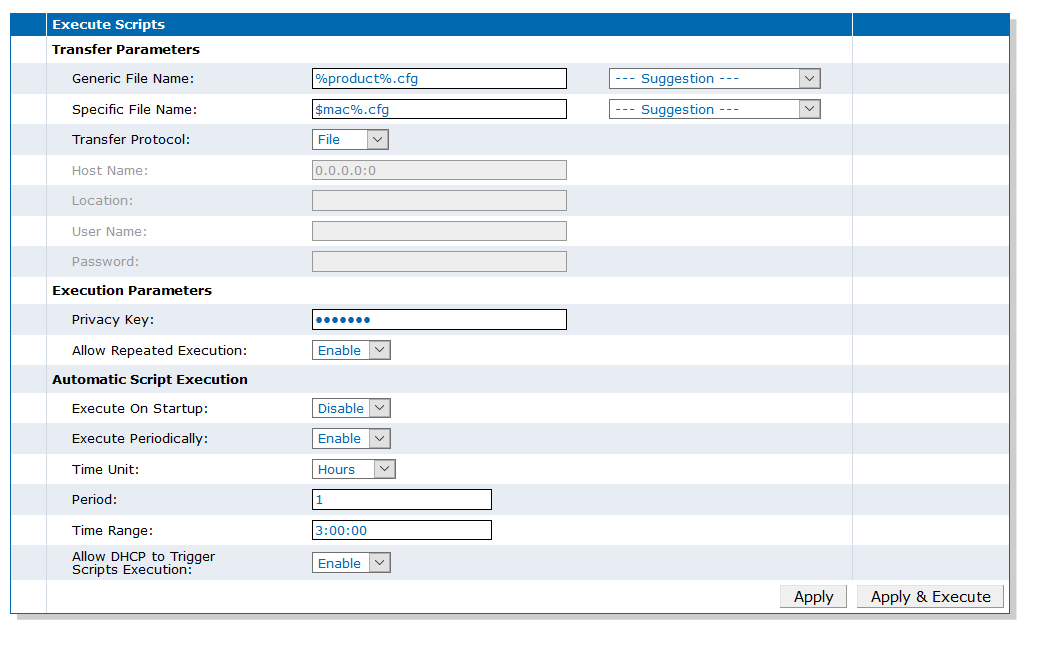
Top
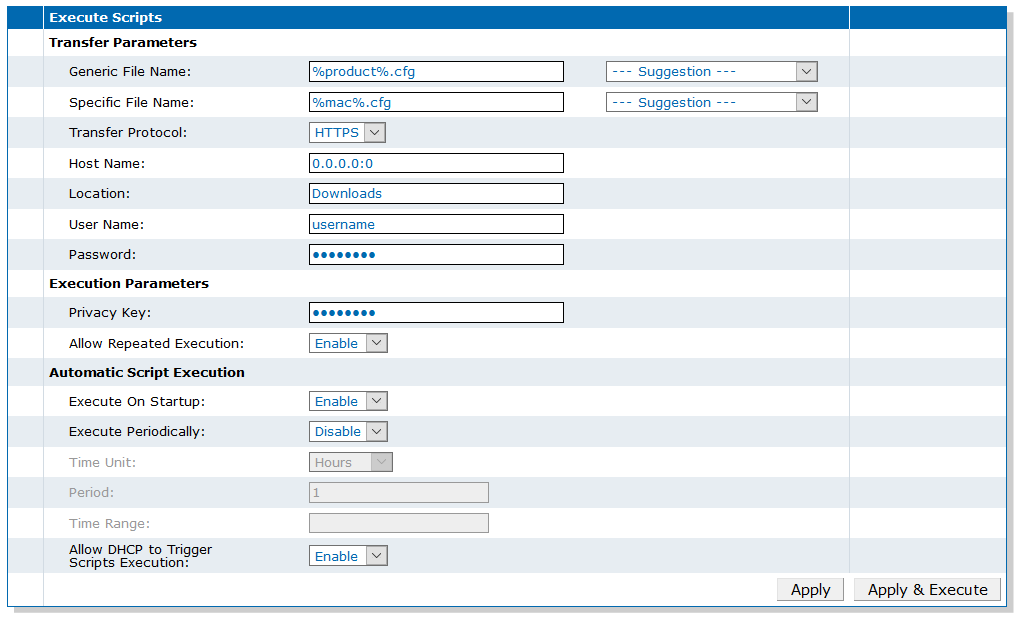
Executing Configuration Scripts from a File Server Each Time the Unit is Started
Top
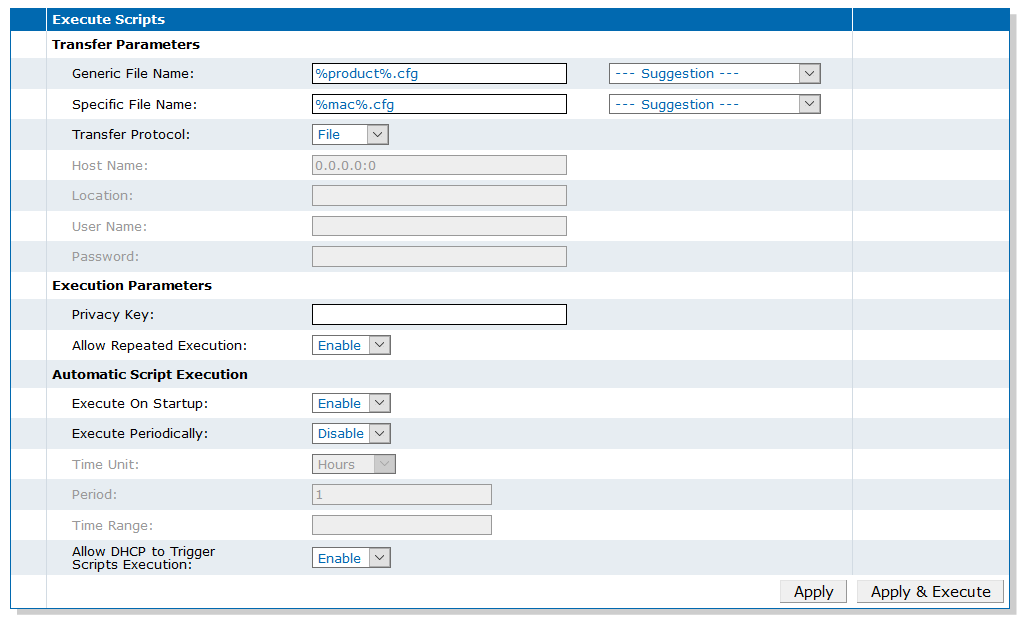
Executing Configuration Scripts from the Unit File Management System Each Time the Unit is Started
Top
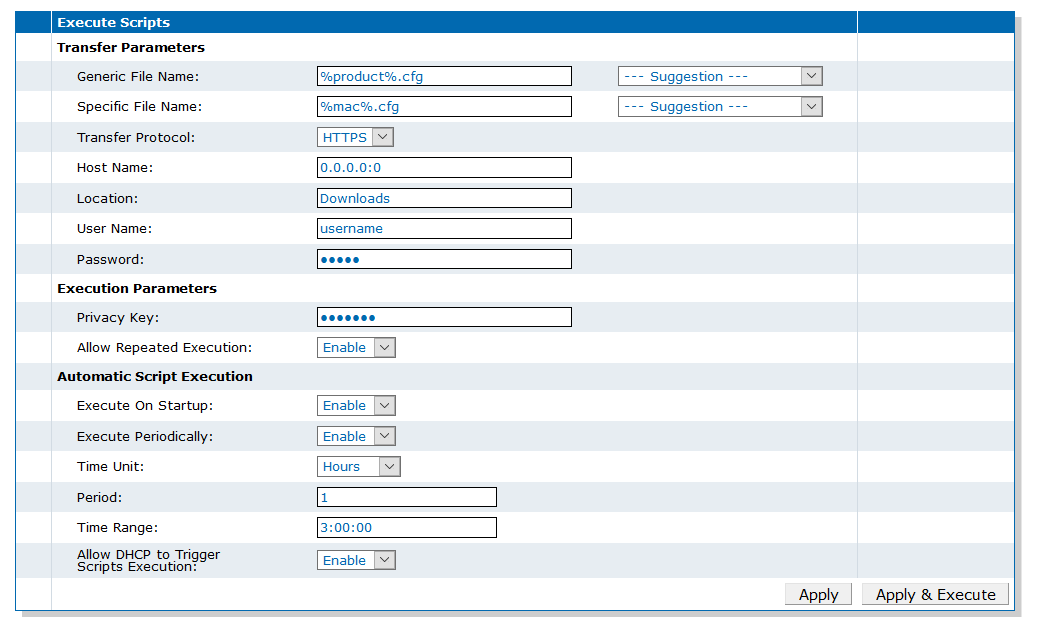
Configuring the DHCP to Trigger Configuration Script Execution
The Mediatrix unit can be configured to automatically import new configuration scripts upon receiving options 66 (tftp-server) or 67 (bootfile), or vendor-specific option 43 using sub-options 66 and 67 in a DHCPv4 answer. A DHCP answer includes both Bound and Renew.
- Configuring the FTP Server
- Configuring the TFTP Server
- Configuring the HTTP Server
- Configuring the HTTPS Server
Mediatrix units do not all include a real time clock allowing them to maintain accurate time when they are shutdown. If you are using HTTPS, you must have an SNTP server that is accessible and properly configured or the automatic configuration update feature may not work properly. Refer to Configuring the Mediatrix Unit to Use an SNTP Server.
For more details on DHCPv4 Auto-Provisionning, refer to DHCPv4 Auto-Provisioning
- Go to Management/Configuration Scripts/Execute.
- In the Automatic Script Execution section, from the Allow DHCP to Trigger Scripts Execution selection list, choose Enable.
- Click Apply.
The instructions sent FROM the DHCP server can be in different formats and will be understood by the Mediatrix unit according to what was chosen for the ScriptsDhcpOptionsFormat MIB parameter (not accessible via Web page). Possible values with their respective formats are:
- Fully Qualified: Script=[protocol]://[username] :[password]@[server]/[path]/[file].
- Url: [protocol]:// [username] :[password]@[server]/[path]/[file]
- ServerHost: Allow one DHCP option to specify the IP address or FQDN of a file server. Uses the path and filename specified in the ScriptLocation and ScriptGenericFileName parameters, use the transfer protocol, username and password specified in ScriptTransferProtocol, ScriptTransferUsername and ScriptTransferPassword parameters.
- AutoDetect: A value beginning with "Script=" is considered as "FullyQualified", A value beginning with "[protocol]://" is considered as a URL. A value that looks like an IPv4/IPv6 address or domain name is considered as a "ServerHost". (default value)
When the unit starts, it will receive the location of the config script from the DHCP response, as per the format defined by the ScriptsDhcpOptionsFormat parameter. The unit will then import and execute the configuration scripts from the specified location. Any changes to the script will be applied to the running configuration. The unit configuration is only updated if at least one parameter value defined in the imported configuration scripts is different from the actual unit configuration.
Top
Advanced Configuration Scripts Parameters
- using a MIB browser
- using the CLI
- creating a configuration script containing the configuration parameters
Scripts Transfer Certificate Validation
Refer to Conf. ScriptsTransferCertificateValidation.Scripts Transfer Certificate Trust Level
Refer to Conf. ScriptsTransferCertificateTrustLevel.Scripts Transfer Cipher Suite
Refer to Conf. ScriptsTransferCipherSuite.Scripts Transfer Tls Version
Refer to Conf. ScriptsTransferTlsVersion .Scripts Dhcp Options Format
Refer to Conf. ScriptsDhcpOptionsFormat.Scripts Transfer Retries Number
Refer to Conf. ScriptsTransferRetriesNumber.Top
Online Help
If you are not familiar with the meaning of the fields and buttons, click Show Help, located at the upper right corner of the Web page. When activated, the fields and buttons that offer online help will change to green and if you hover over them, the description will bedisplayed.
Top
DGW Documentation
Mediatrix devices are supplied with an exhaustive set of documentation.
Mediatrix user documentation is available on the Media5 Documentation Portal.
- Release notes: Generated at each GA release, this document includes the known and solved issues of the software. It also outlines the changes and the new features the release includes.
- Configuration notes: These documents are created to facilitate the configuration of a specific use case. They address a configuration aspect we consider that most users will need to perform. However, in some cases, a configuration note is created after receiving a question from a customer. They provide standard step-by-step procedures detailing the values of the parameters to use. They provide a means of validation and present some conceptual information. The configuration notes are specifically created to guide the user through an aspect of the configuration.
- Technical bulletins: These documents are created to facilitate the configuration of a specific technical action, such as performing a firmware upgrade.
- Hardware installation guide: They provide the detailed procedure on how to safely and adequately install the unit. It provides information on card installation, cable connections, and how to access for the first time the Management interface.
- User guide: The user guide explains how to customise to your needs the configuration of the unit. Although this document is task oriented, it provides conceptual information to help the user understand the purpose and impact of each task. The User Guide will provide information such as where and how TR-069 can be configured in the Management Interface, how to set firewalls, or how to use the CLI to configure parameters that are not available in the Management Interface.
- Reference guide: This exhaustive document has been created for advanced users. It includes a description of all the parameters used by all the services of the Mediatrix units. You will find, for example, scripts to configure a specific parameter, notification messages sent by a service, or an action description used to create Rulesets. This document includes reference information such as a dictionary, and it does not include any step-by-step procedures.
Top
Copyright Notice
Copyright © 2026 Media5 Corporation.
This document contains information that is proprietary to Media5 Corporation.
Media5 Corporation reserves all rights to this document as well as to the Intellectual Property of the document and the technology and know-how that it includes and represents.
This publication cannot be reproduced, neither in whole nor in part, in any form whatsoever, without written prior approval by Media5 Corporation.
Media5 Corporation reserves the right to revise this publication and make changes at any time and without the obligation to notify any person and/or entity of such revisions and/or changes.