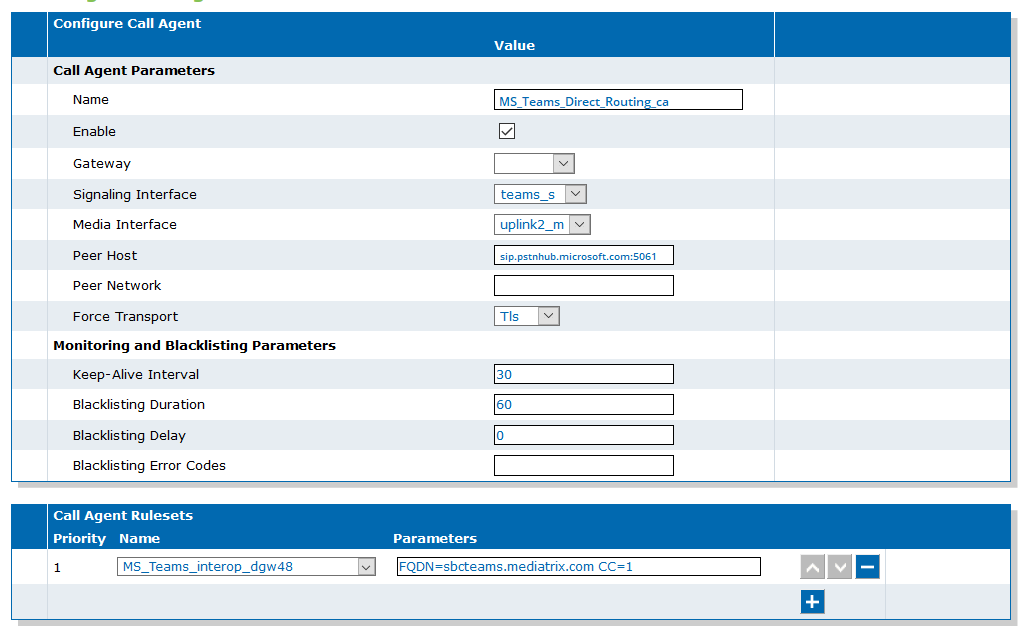
Configuring the MS_Teams_Direct_Routing_ca Call Agent
Steps
- Go to SBC/Configuration.
-
In the Call Agent Configuration
table, click
 .
.
-
In the Configure Call Agent table,
complete the fields as follows:
- Name: MS_Teams_Direct_Routing_ca
- Enable: checked
- Signaling Interface: teams_s
- Media Interface: uplink2_m
- Peer Host:sip.pstnhub.microsoft.com:5061
- Force Transport: Tls
- Keep-Alive Interval: 30
- Blacklisting Duration: 60
- Blacklisting Delay:0
- In the Call Agent Rulesets table, from the Name select MS_Teams_interop_dgw48.
- In the Parameters field, enter FQDN=sbcteams.mediatrix.com and the corresponding Country Code i.e.CC=1
- Click Save.
Result