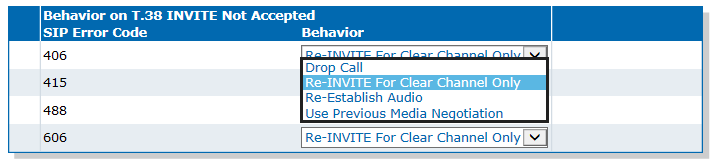
Configuring the Behavior of the T.38 INVITE Not Accepted
This task allows you to set the unit’s behaviour after receiving an error to a SIP INVITE for T.38 fax.
Steps
- Go to SIP/Interop.
- In the Behavior on T.38 INVITE Not Accepted table, from the Behavior selection list, set the required behavior for each SIP Error Code.
- Click Apply.
Result